 Fiber Registry
Contractors
See the progress of every project, POP and DP as it happens, certify by period and keep track of margins and invoices.
Your technicians record every job from their phone, with photos and GPS, even without coverage. You review, certify and invoice it from the web panel.
No card needed · Android · In Spanish, German and English
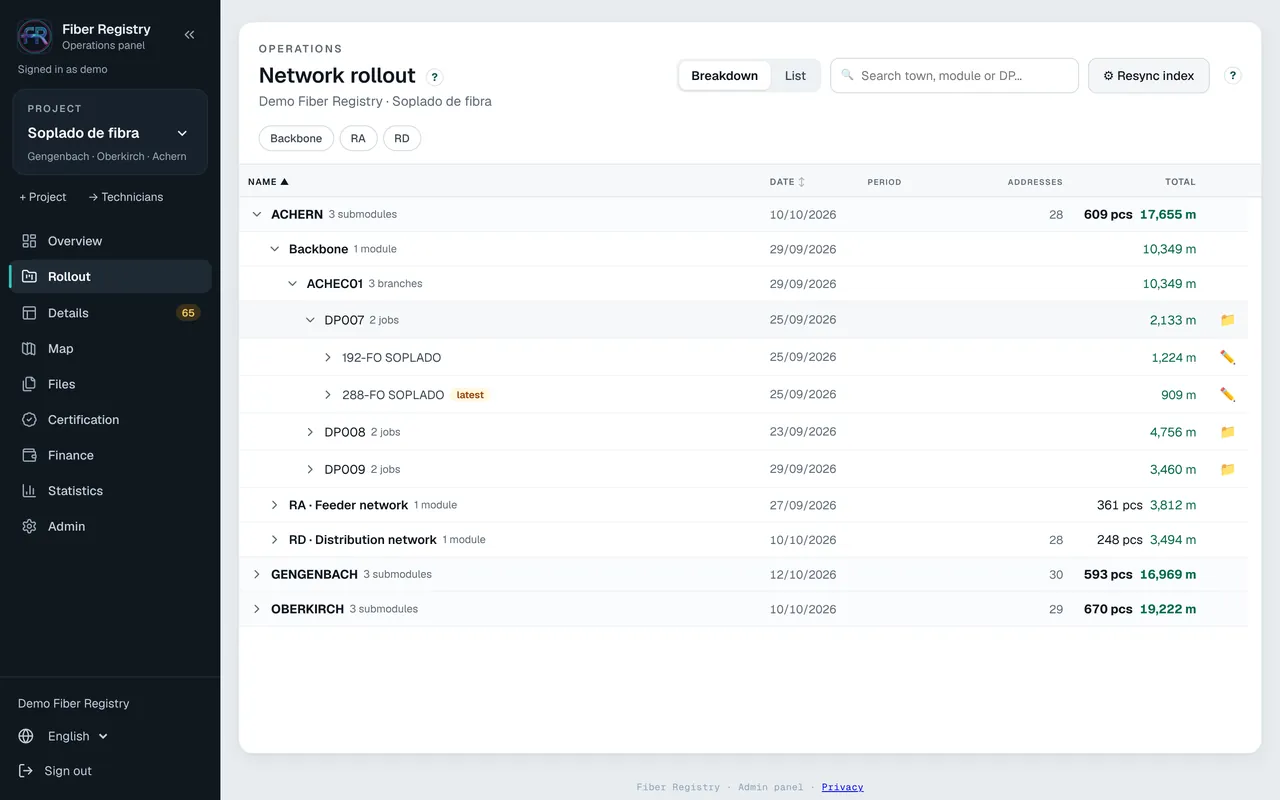
See the progress of every project, POP and DP as it happens, certify by period and keep track of margins and invoices.
Your team works in the contractor's project with its own accounts, its own prices and its own documents.
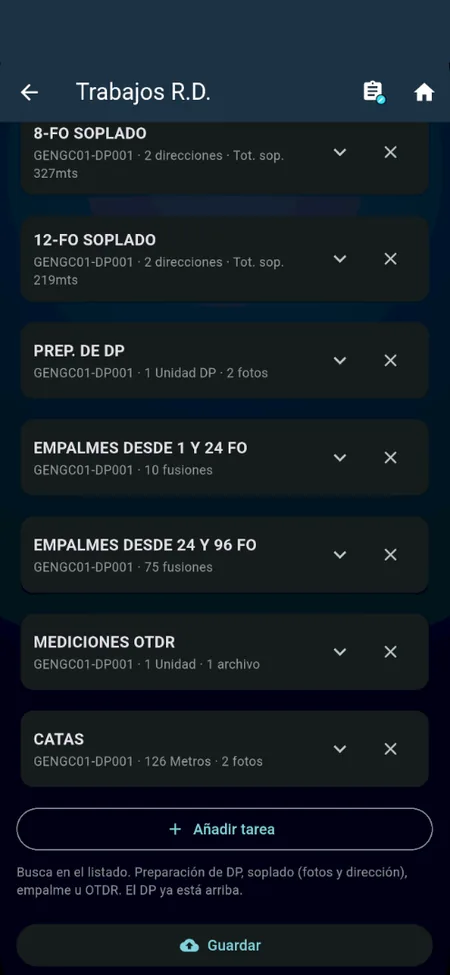
An app built for the street: guided by the project's tasks, with camera, map and automatic upload.
the technician's app
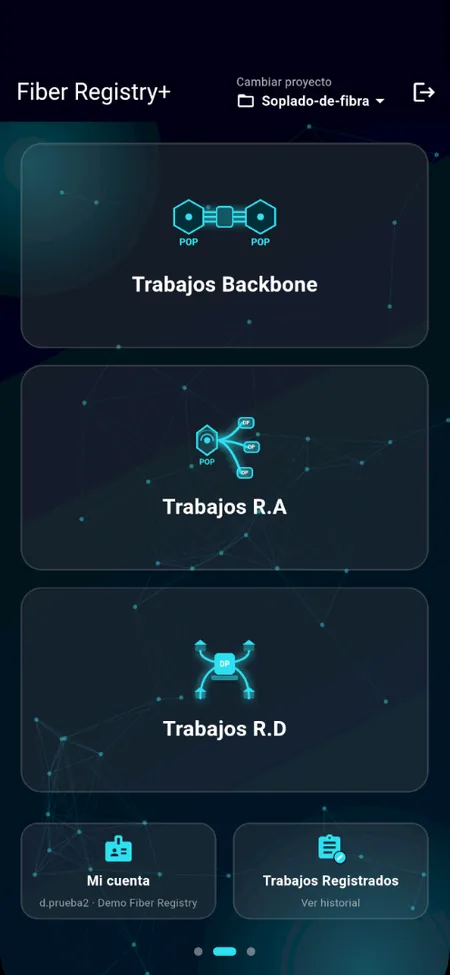
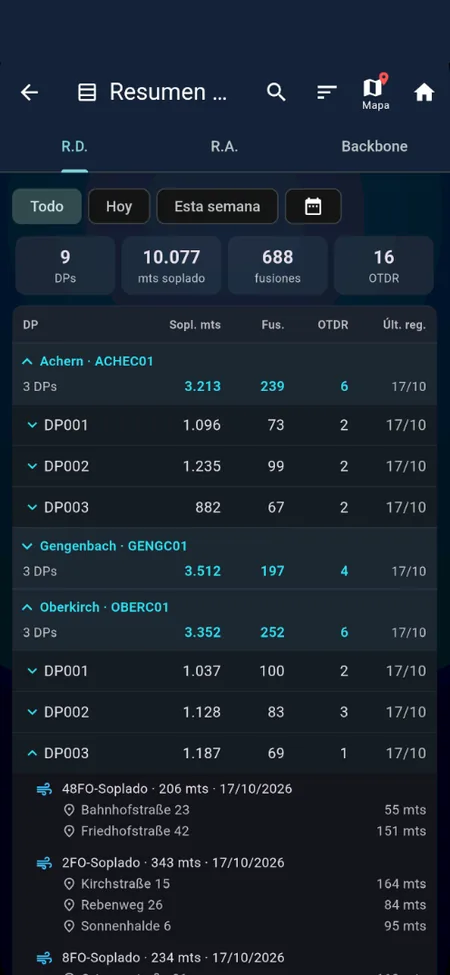
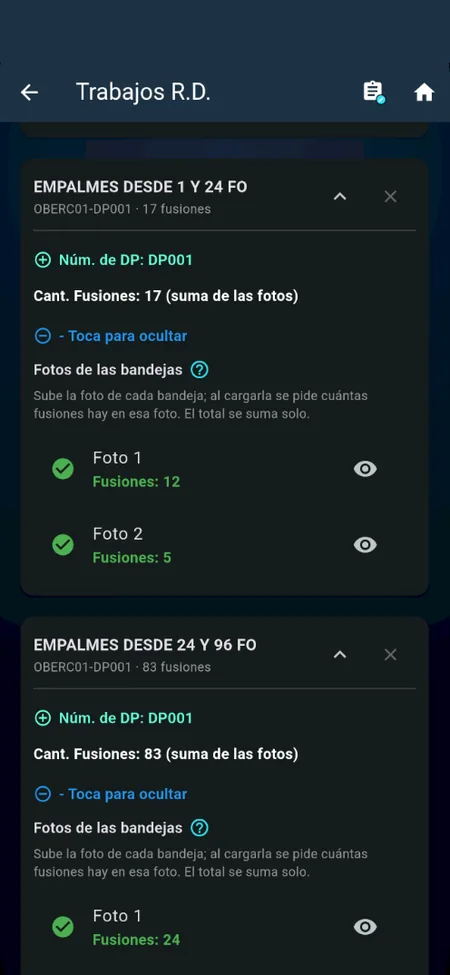
R.A., R.D. and Backbone with your project's tasks: technicians know what is still missing in every DP.
Date, time and GPS coordinates on every photo, as proof for the client.
The camera reads the code on the label and fills it in for you: fewer typing mistakes.
What is recorded waits in a queue and uploads on its own when the connection is back.
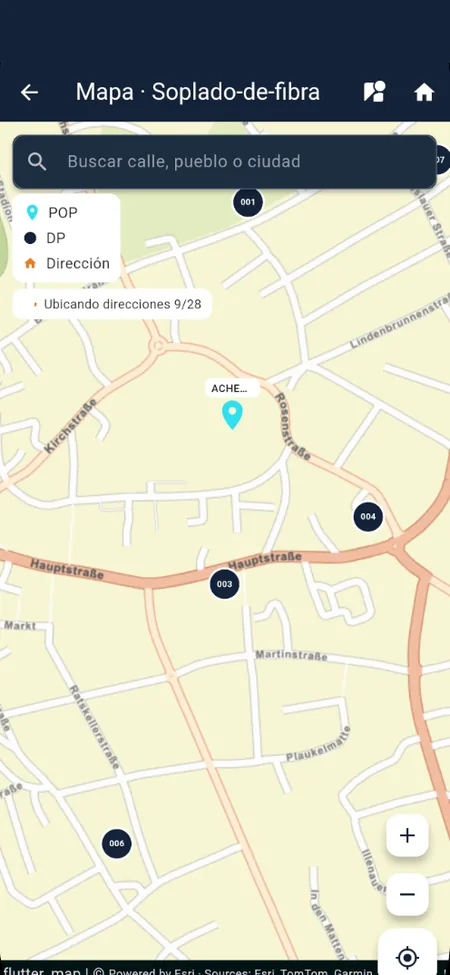
Jobs on the map and Street View to reach the right address.
the web panel
The total of every DP and progress by task, by town and by technician.
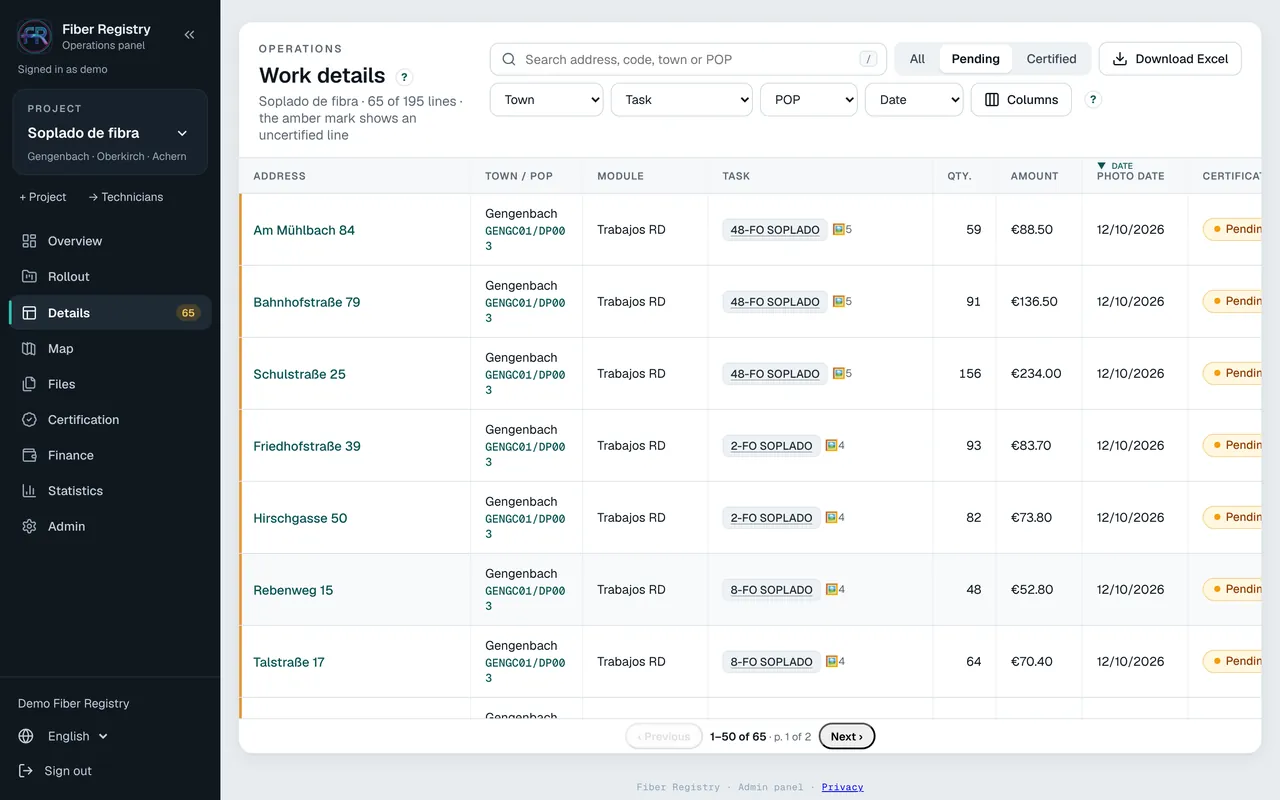
Every job with its photos; correct or delete it from the panel.
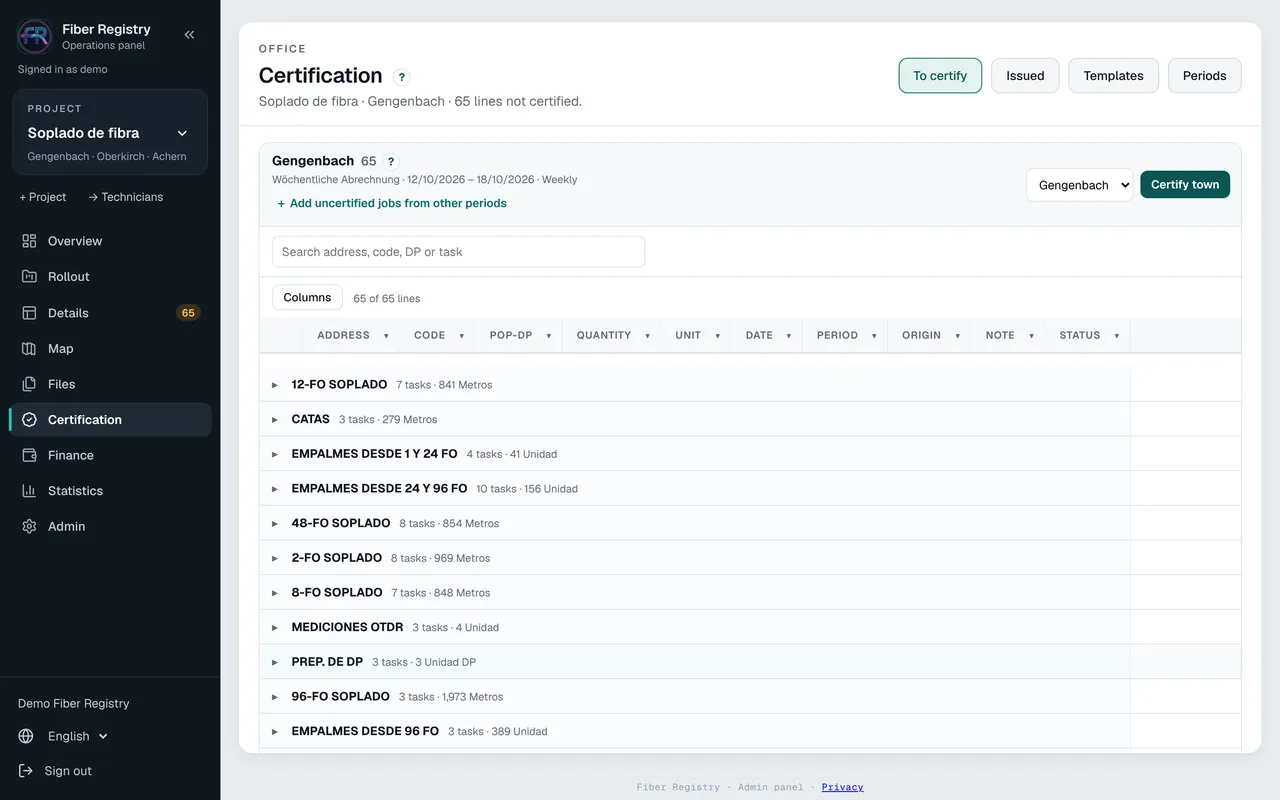
Templates per client, cut-off periods and the certification as a PDF, ready to send.
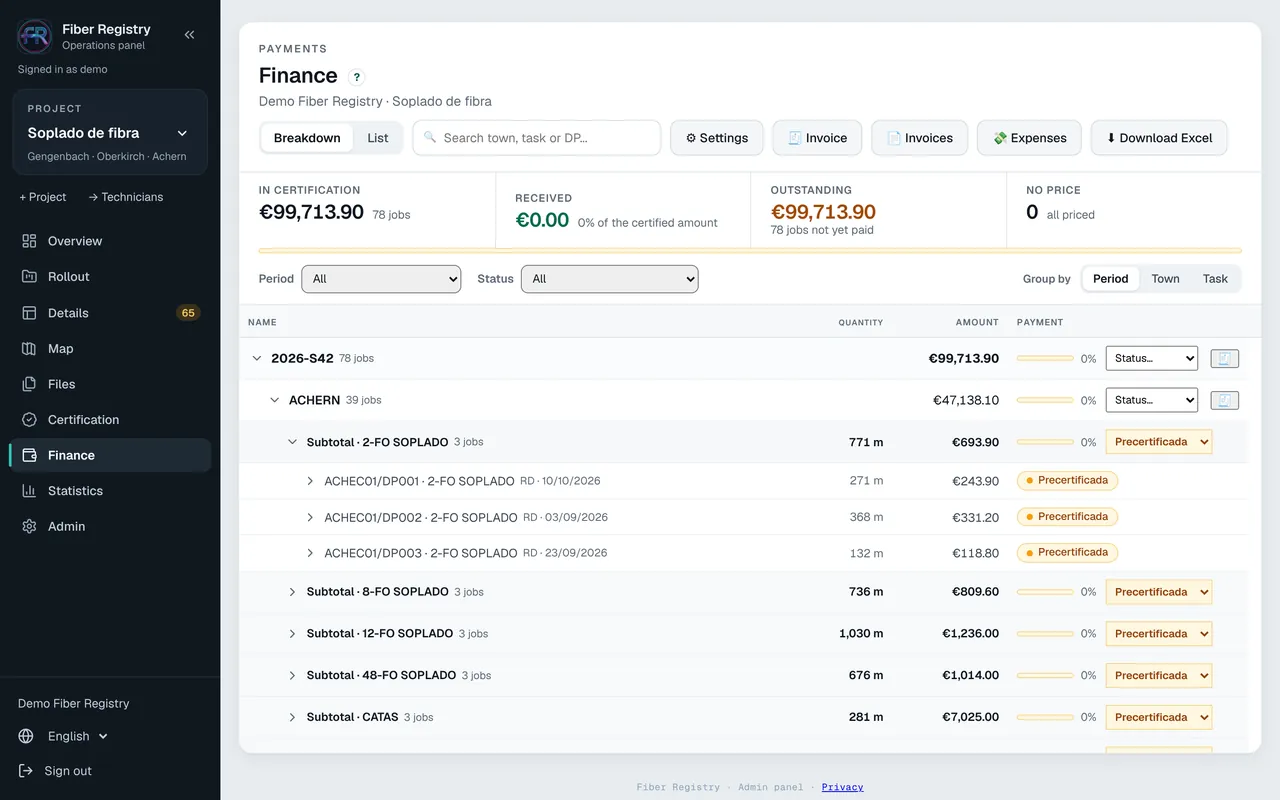
Prices per task and per subcontractor, expenses, margins, numbered invoices and withholdings.
Folders per project for your documents, shared with your subcontractors.
Photos and jobs on the map; charts by town, task and technician.
Opens .sor traces in the browser, with zoom and markers, with nothing to install.
Accounts for technicians, viewers and subcontractors: everyone sees only their own.
The panel runs in the browser on any device, with nothing to install. The app runs on any Android phone or tablet.
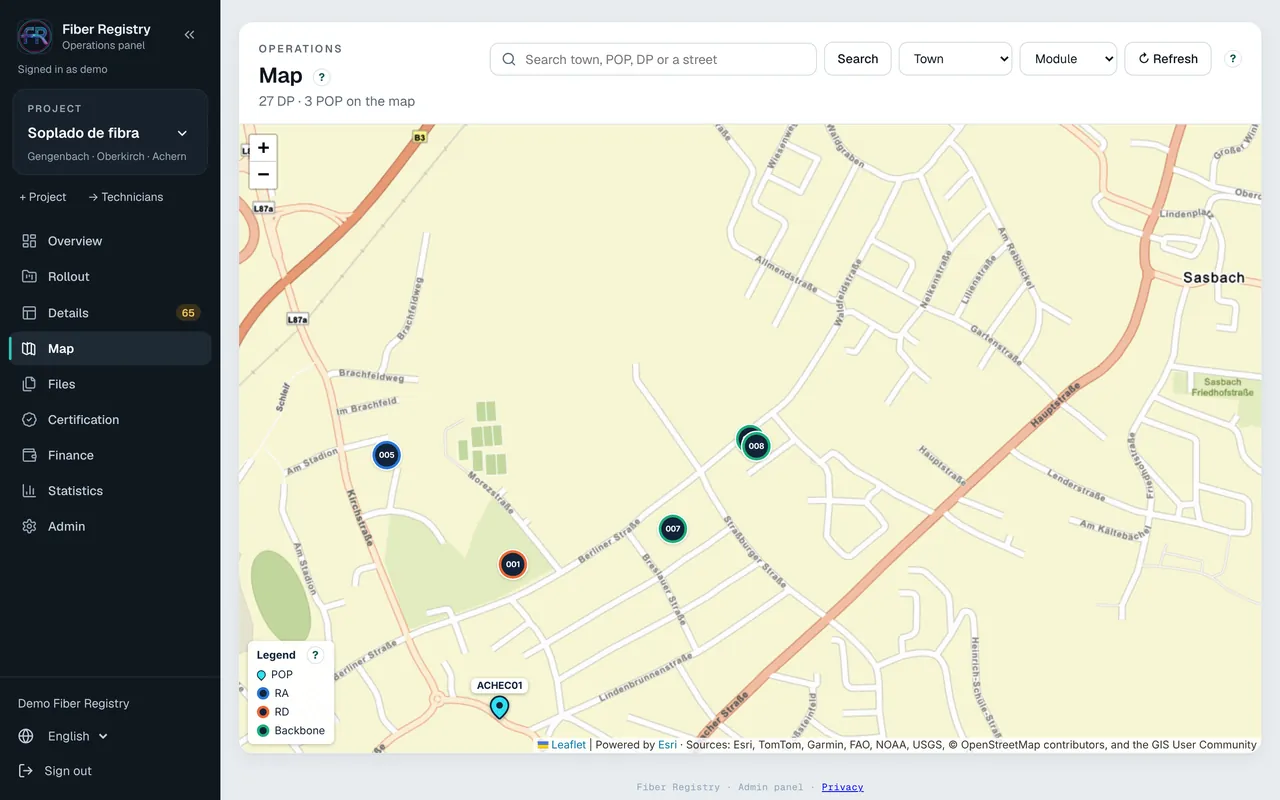
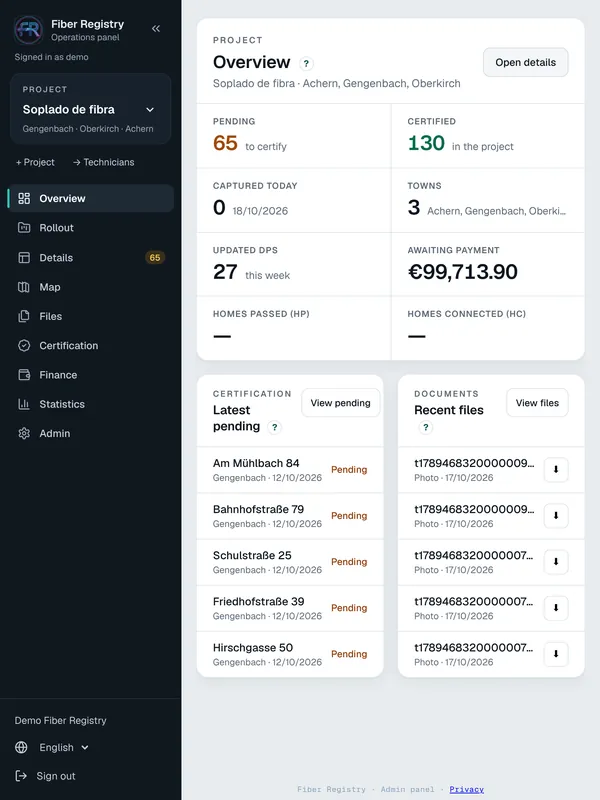
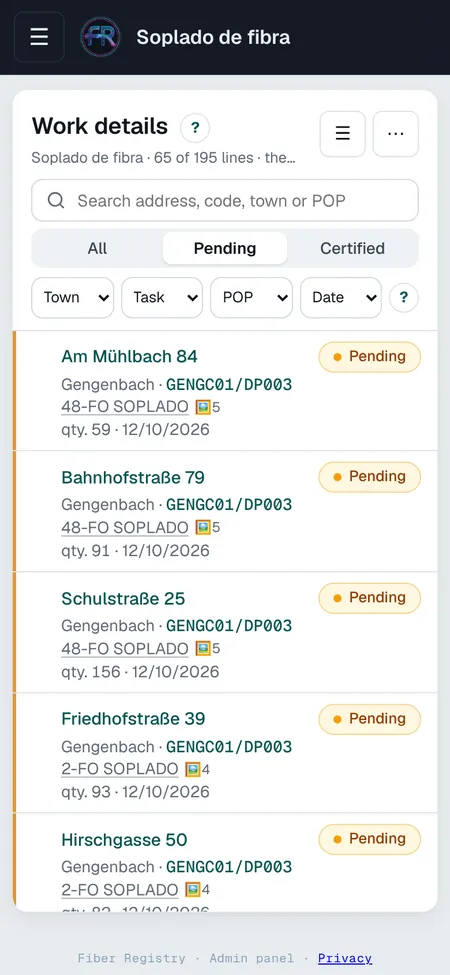
Screenshots with demo data.
Server and files on Google Cloud, inside the EU.
No company sees another's data, and every user sees only the projects that concern them.
They are never stored in plain text, and accounts are locked after repeated failed attempts.
It is on Google Play in early access: ask us for access and we will send you the link.
In the app, tap “Try free for 14 days”: your company is set up in a minute.
The panel's wizard guides you through creating the project, its tasks and your team's accounts.
Write to us and we will help you set up your first project.